MicShift
GitHub
Download for Mac
WORKS WITH DJI MIC MINI AND MIC MINI 2
The right microphone. Automatically.
Automatic fallback when your wireless mic goes offline, with battery status while it’s connected.
Download MicShift
View on GitHub
Free · Open source · macOS 13+ · Local-only
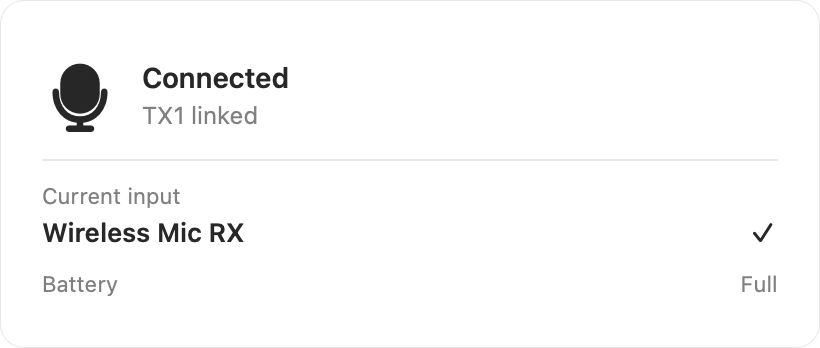
Connected
Wireless mic in use
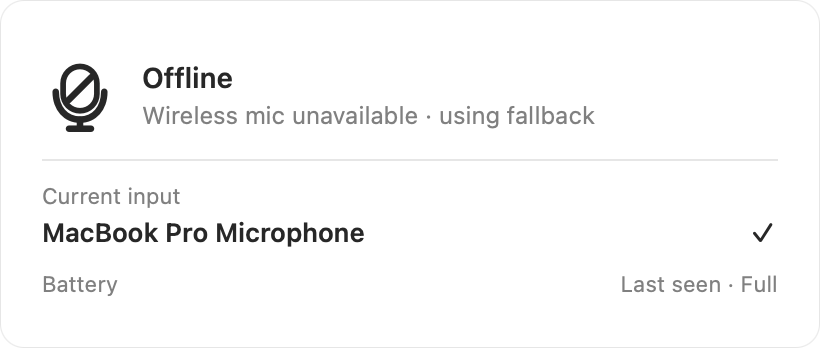
Offline
Mac microphone takes over
Battery level
Visible while connected

Full

High

Medium

Low
A REAL-WORLD FALLBACK
Put it away. Keep talking.
Your receiver stays plugged into your Mac—even when the wireless mic dies or goes back in its case.
MicShift notices the mic go offline, switches to your Mac microphone, then switches back when it returns.
No dead input. No manual switching.
AUTOMATIC SWITCHING
Wireless mic connected
MicShift is using your receiver
CURRENT INPUT
Wireless Mic RX
↓

Wireless mic offline
MicShift switches automatically
CURRENT INPUT
MacBook Pro Microphone
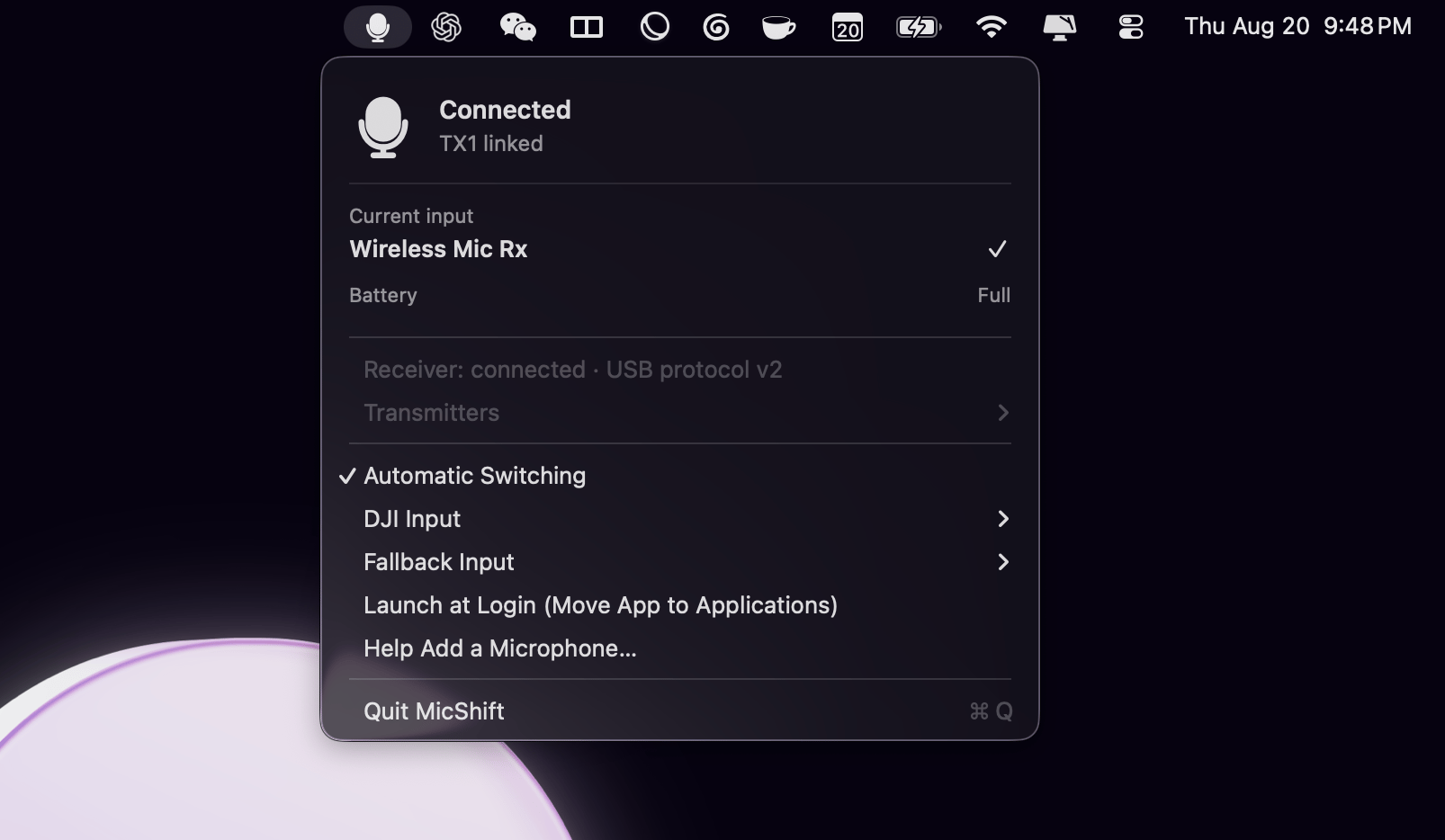
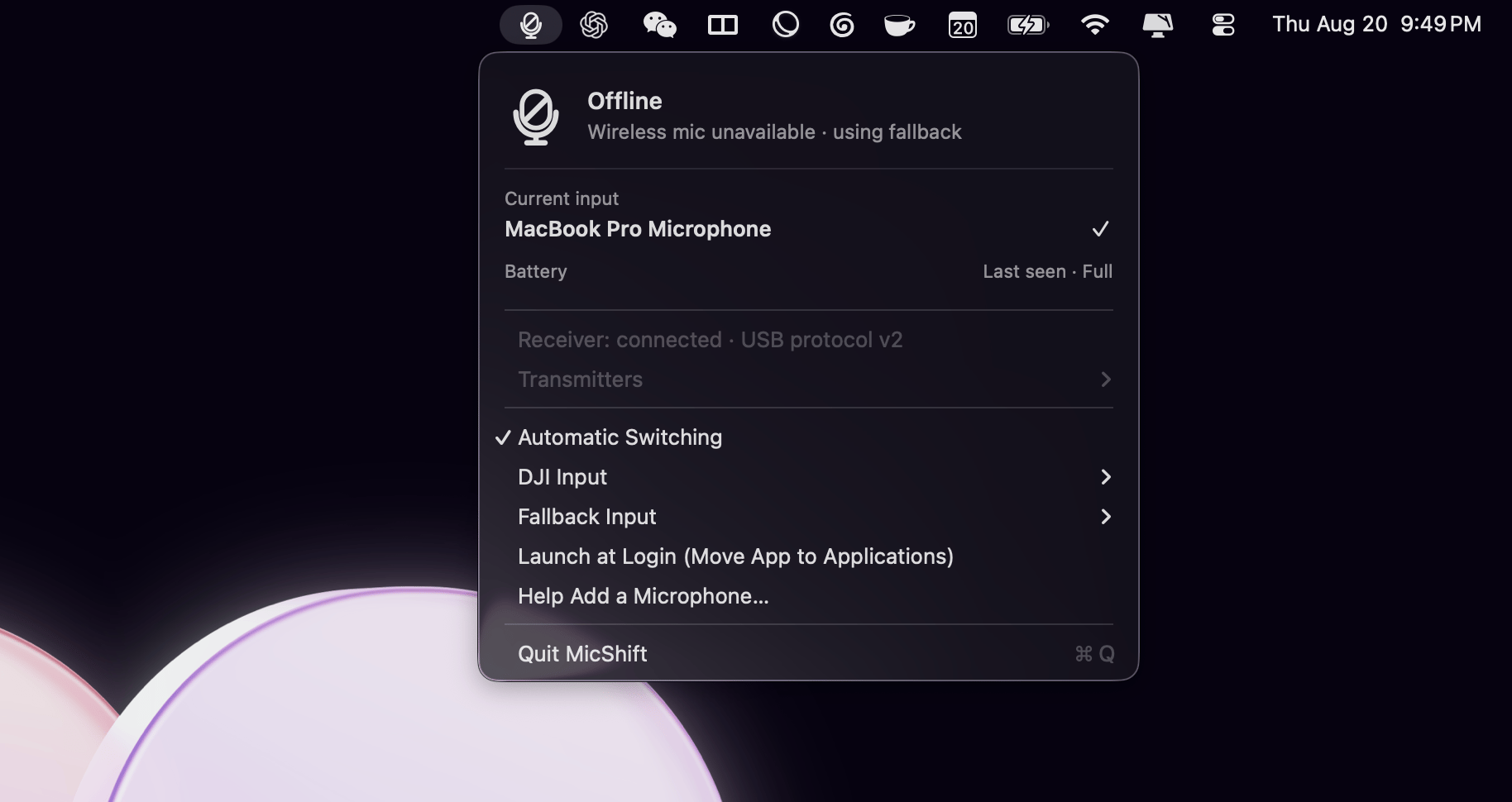
IN YOUR MENU BAR
Know which mic your Mac is using.
See the active input, wireless link and battery at a glance. The menu updates as your mic goes offline or reconnects.
OPEN SOURCE
Help add the next microphone.
MicShift works today with DJI Mic Mini and Mic Mini 2. If you use a different wireless receiver, the app can create a privacy-redacted USB report for the open-source project.
Support is only added after the protocol is verified.
View source on GitHub →
Read the contribution guide →
Discovery never records microphone audio.
Private by design.
MicShift reads USB status locally and never records audio.
For automatic switching, set dictation and recording apps to System Default.
Download for Mac Documentation GitHub © 2026
MicShift
MicShift
GitHub
Download for Mac
WORKS WITH DJI MIC MINI AND MIC MINI 2
The right microphone. Automatically.
Automatic fallback when your wireless mic goes offline, with battery status while it’s connected.
Download MicShift
View on GitHub
Free · Open source · macOS 13+ · Local-only
Connected
Wireless mic in use
Offline
Mac microphone takes over
Battery level
Visible while connected
Full
High
Medium
Low
A REAL-WORLD FALLBACK
Put it away. Keep talking.
Your receiver stays plugged into your Mac—even when the wireless mic dies or goes back in its case.
MicShift notices the mic go offline, switches to your Mac microphone, then switches back when it returns.
No dead input. No manual switching.
AUTOMATIC SWITCHING
Wireless mic connected
MicShift is using your receiver
CURRENT INPUT
Wireless Mic RX
↓
Wireless mic offline
MicShift switches automatically
CURRENT INPUT
MacBook Pro Microphone
IN YOUR MENU BAR
Know which mic your Mac is using.
See the active input, wireless link and battery at a glance. The menu updates as your mic goes offline or reconnects.
OPEN SOURCE
Help add the next microphone.
MicShift works today with DJI Mic Mini and Mic Mini 2. If you use a different wireless receiver, the app can create a privacy-redacted USB report for the open-source project.
Support is only added after the protocol is verified.
View source on GitHub →
Read the contribution guide →
Discovery never records microphone audio.
Private by design.
MicShift reads USB status locally and never records audio.
For automatic switching, set dictation and recording apps to System Default.
Download for Mac Documentation GitHub © 2026
MicShift
MicShift
GitHub
Download for Mac
WORKS WITH DJI MIC MINI AND MIC MINI 2
The right microphone. Automatically.
Automatic fallback when your wireless mic goes offline, with battery status while it’s connected.
Download MicShift
View on GitHub
Free · Open source · macOS 13+ · Local-only
Connected
Wireless mic in use
Offline
Mac microphone takes over
Battery level
Visible while connected
Full
High
Medium
Low
A REAL-WORLD FALLBACK
Put it away. Keep talking.
Your receiver stays plugged into your Mac—even when the wireless mic dies or goes back in its case.
MicShift notices the mic go offline, switches to your Mac microphone, then switches back when it returns.
No dead input. No manual switching.
AUTOMATIC SWITCHING
Wireless mic connected
MicShift is using your receiver
CURRENT INPUT
Wireless Mic RX
↓
Wireless mic offline
MicShift switches automatically
CURRENT INPUT
MacBook Pro Microphone
IN YOUR MENU BAR
Know which mic your Mac is using.
See the active input, wireless link and battery at a glance. The menu updates as your mic goes offline or reconnects.
OPEN SOURCE
Help add the next microphone.
MicShift works today with DJI Mic Mini and Mic Mini 2. If you use a different wireless receiver, the app can create a privacy-redacted USB report for the open-source project.
Support is only added after the protocol is verified.
View source on GitHub →
Read the contribution guide →
Discovery never records microphone audio.
Private by design.
MicShift reads USB status locally and never records audio.
For automatic switching, set dictation and recording apps to System Default.
Download for Mac Documentation GitHub © 2026
MicShift